User-Agent Strings Explained: Format and Parser Test Cases
Decode browser User-Agent tokens and test reduced strings, missing headers and Client Hints. Includes historical examples and explicit parser expectations.
By Vincent RuanPublished June 25, 2026Last updated September 6, 20265 min read
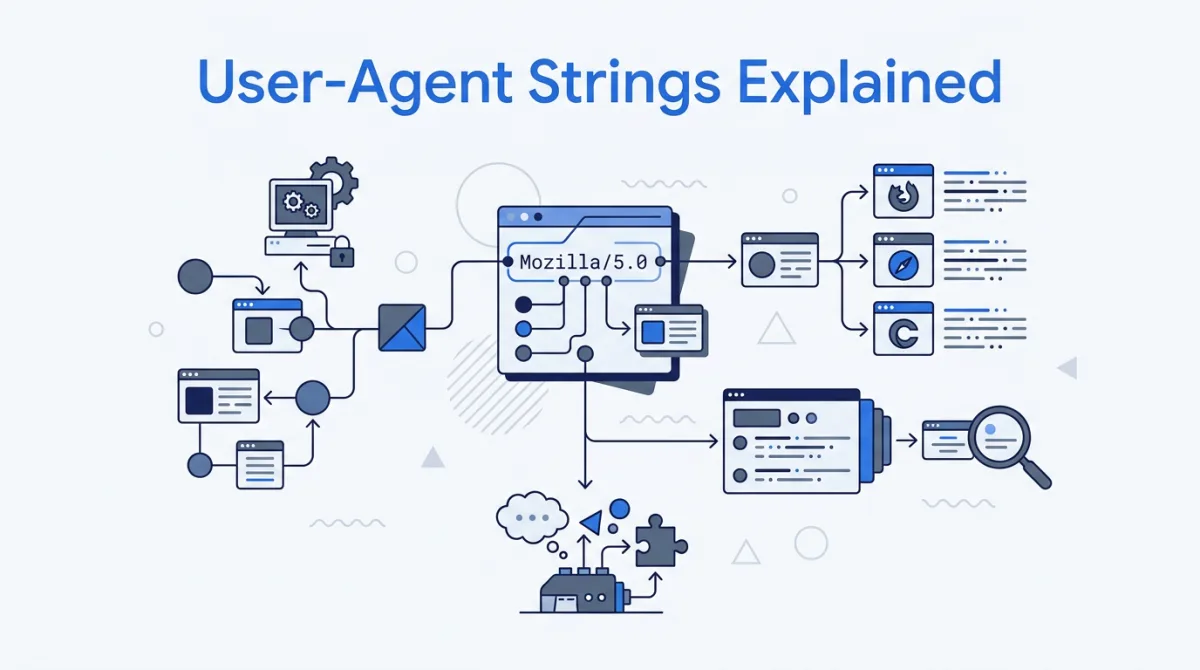
A User-Agent string is client-supplied text in an HTTP request header. It usually describes a product, version and optional platform details. RFC 9110 defines the field, but clients may omit or change it. A parser therefore needs an unknown path as well as rules for familiar browsers [rfc9110].
Decode a Chrome example
This historical Chrome 120 string is useful as a fixed parser fixture: Mozilla/5.0 (Windows NT 10.0; Win64; x64) AppleWebKit/537.36 (KHTML, like Gecko) Chrome/120.0.0.0 Safari/537.36. Its version is illustrative; it is not a claim about the latest browser release.
| Token | What a parser can infer | What it should not infer |
|---|---|---|
| Mozilla/5.0 | A compatibility prefix | The caller is Firefox |
| Windows NT 10.0; Win64; x64 | A Windows-shaped platform comment | The exact Windows release or physical CPU |
| AppleWebKit/537.36 | A compatibility engine token | The client runs Safari or current WebKit |
| Chrome/120.0.0.0 | Reported Chromium-family major version 120 | Installed patch version or authenticated browser identity |
| Safari/537.36 | Another compatibility token | The client is Safari |
Chromium’s reduction documentation shows frozen platform tokens and zeroed minor-version fields. Windows NT 10.0 and the Android model token K are deliberately coarse values [chromium-reduction]. Inferring a precise OS or device from them produces false precision.
Browser examples for a fixed regression corpus
| Browser / platform | Representative User-Agent string | Distinguishing token |
|---|---|---|
| Chrome (Windows) | Mozilla/5.0 (Windows NT 10.0; Win64; x64) AppleWebKit/537.36 (KHTML, like Gecko) Chrome/120.0.0.0 Safari/537.36 | Chrome/ with trailing Safari/ |
| Firefox (Windows) | Mozilla/5.0 (Windows NT 10.0; Win64; x64; rv:121.0) Gecko/20100101 Firefox/121.0 | rv: + Gecko/ + Firefox/ |
| Safari (macOS) | Mozilla/5.0 (Macintosh; Intel Mac OS X 10_15_7) AppleWebKit/605.1.15 (KHTML, like Gecko) Version/17.1 Safari/605.1.15 | Version/ before Safari/, no Chrome/ |
| Edge (Windows) | Mozilla/5.0 (Windows NT 10.0; Win64; x64) AppleWebKit/537.36 (KHTML, like Gecko) Chrome/120.0.0.0 Safari/537.36 Edg/120.0.0.0 | Edg/ appended after Safari/ |
| Chrome (Android phone) | Mozilla/5.0 (Linux; Android 10; K) AppleWebKit/537.36 (KHTML, like Gecko) Chrome/120.0.0.0 Mobile Safari/537.36 | Android + Mobile token (device frozen to K) |
| Safari (iPhone) | Mozilla/5.0 (iPhone; CPU iPhone OS 17_1 like Mac OS X) AppleWebKit/605.1.15 (KHTML, like Gecko) Version/17.1 Mobile/15E148 Safari/604.1 | iPhone OS + Mobile/ build code |
These desktop and mobile strings cover specific patterns, not every browser. iOS browser branding, embedded webviews, unusual clients and future reduced strings need their own samples. A Chrome token without Edg/ is still not proof of Google Chrome: other Chromium-based clients can report the same form [mdn-detection].
Parser cases that a happy-path example misses
| Input or condition | Expected behavior | Bug exposed |
|---|---|---|
| Chrome + Safari + Edg/ tokens | Recognize the more specific Edge marker | Checking Chrome first mislabels Edge |
| Chrome + Safari with no vendor marker | Chromium-compatible; exact brand may be unknown | Assuming every Chrome token means Google Chrome |
| Safari + Version/ with no Chromium marker | Safari-shaped sample | Treating every Safari token equally |
| Missing or empty User-Agent | Unknown; continue through fallback | Parser throws on absent input |
| Custom product ExampleClient/1.0 | Unknown product or a generic client bucket | Requiring every client to begin Mozilla/5.0 |
| Reduced Android token Android 10; K | Android-shaped; device model unknown | Reporting K as a phone model |
| UA says desktop; hints say mobile | Apply a documented precedence rule; retain uncertainty | Silently merging contradictory evidence |
What changes with User-Agent Client Hints?
In supporting Chromium browsers, low-entropy hints include Sec-CH-UA, Sec-CH-UA-Mobile and Sec-CH-UA-Platform. Over secure connections these can be sent by default. A server can request additional details with Accept-CH, for example Accept-CH: Sec-CH-UA-Platform-Version. The browser still controls which values it returns [chrome-hints].
| Case | Expectation |
|---|---|
| First request with only default hints | Do not require a full version or model |
| Subsequent request after Accept-CH | Consume any provided requested hints; tolerate omissions |
| No navigator.userAgentData | Use the fallback path without throwing |
| An unfamiliar brand in Sec-CH-UA | Parse the list; do not depend on brand order |
| Hints absent on a custom client | Return a useful unknown classification |
Client Hints use structured header values: Sec-CH-UA is a brand list, not one browser name. Test unknown brands and different ordering. If you vary a cacheable response using a hint, make the cache vary on the relevant header as well, or different clients may receive the same cached variant [chrome-hints].
Changing a header is not browser emulation
A custom User-Agent can exercise a server parser, analytics bucket or response-selection branch. It does not install Safari, change a JavaScript engine, resize a viewport or create touch support. For a feature-dependent UI, test the feature itself and exercise the real browser engine you support [mdn-detection].
There is no reserved fictional User-Agent range. Many real clients share a string, so a generated value can match one without identifying an individual. Avoid claiming that a plausible UA is guaranteed never to belong to a real device.
What Fakenamely generates
The identity generator currently selects a User-Agent from five fixed historical strings: Windows Chrome, macOS Safari, Windows Firefox, Linux Chrome and iPhone Safari. It does not generate every browser/version combination or attach a matching Client Hints bundle. Use the explicit corpus above when you need predictable branch coverage.
For related fixture fields, see IP documentation ranges and MAC address formats. Those pages explain their own address semantics; neither IP nor MAC values can establish the truth of a User-Agent header.
References & sources
- RFC 9110, section 10.1.5: User-Agent — IETF
- User-Agent Reduction: platform and version templates — Chromium
- User-Agent Client Hints: requests, defaults and caching — Chrome for Developers
- Browser detection using the User-Agent string — MDN
Frequently asked questions
What is a User-Agent string?
It is the value of an HTTP request header describing the software making a request. RFC 9110 defines product identifiers and optional comments. A client can omit or customize it, so it is a hint rather than verified identity.
Why do Chrome and Edge include Safari in their User-Agent?
Their strings retain compatibility tokens. A Safari token alone does not identify Safari: Chromium browsers also include it. More specific tokens such as Edg/ must be considered before generic ones.
Does Windows NT 10.0 prove the user has Windows 10?
No. Reduced Chromium strings use a fixed Windows platform token. A parser should not infer the exact Windows release from it.
Are User-Agent Client Hints always sent?
No. Support and browser policy vary. Chromium sends some low-entropy hints by default over secure connections; additional hints may require Accept-CH and can still be withheld. Handle missing hints and a missing userAgentData API.
Does changing the User-Agent emulate another browser?
No. It changes a reported string, not the rendering engine or supported APIs. Use real browser engines for compatibility tests and a fixed header corpus for parser tests.
More on technical identifiers
- UUID vs GUID: Versions 1, 4, 7 and When to Use Them
- MAC Address Format: OUI, Bits & Test Examples
- Test IP Address Ranges: IPv4 & IPv6 Examples
- What Is Synthetic Test Data? A Developer's Guide
- Test Data Generation Guide: Schemas, Rows & Edge Cases
- Mock Data vs. Real Data: Why Teams Test With Fake Profiles