How to Protect Your Privacy Online With Fictional Details
Protect your privacy with fictional details on web forms: data minimization, which fields are safe to fake, email aliasing, and the line before fraud.
By Vincent RuanPublished June 25, 2026Last updated June 25, 20269 min read
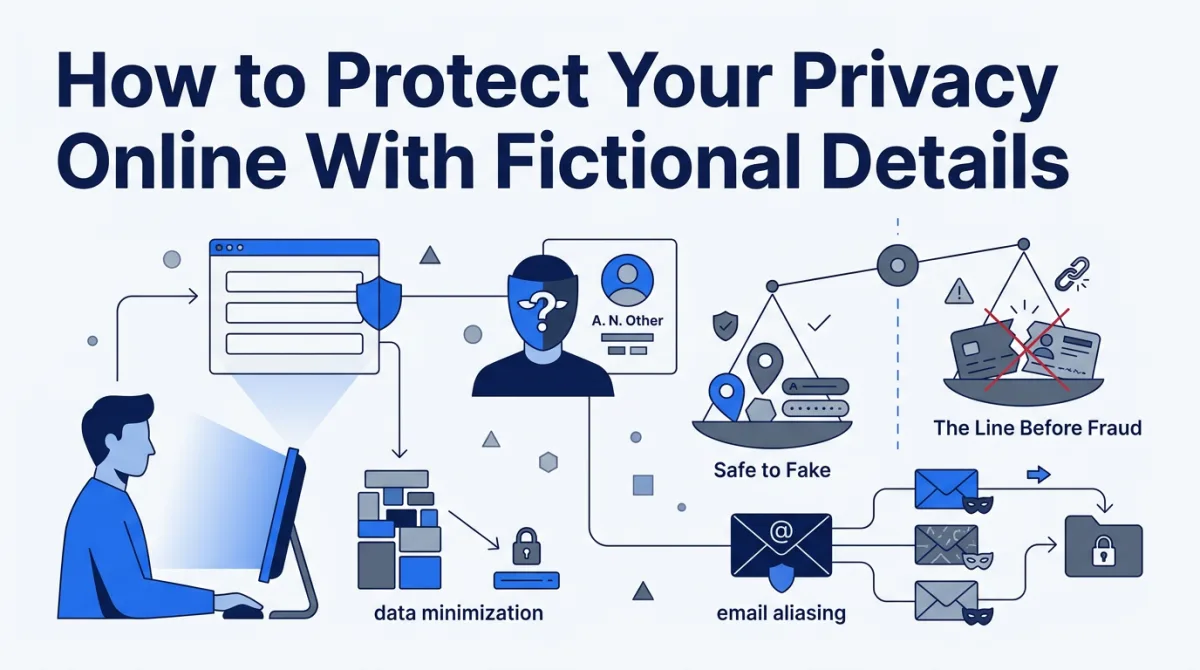
Using fictional details on a web form is a legitimate privacy practice when the field is unnecessary and nothing real ever needs to reach you through it. It crosses into fraud the moment someone is deceived into giving you money, goods, access, or a benefit they would otherwise withhold. That single distinction, between fields that must reach or verify you and fields that never will, governs everything in this guide.
Almost every site wants your name, address, phone, and email before it lets you read, download, or try anything. Most of those fields are not needed to deliver the service. They are needed to build a profile, and each value you hand over is one more record that can leak in a breach or be sold to a data broker. This is a privacy guide, not a way to dodge verification you are legally required to complete. The tools here are for testing, QA, form-filling, and personal privacy only.
What is data minimization, and why does it justify placeholders?
Data minimization is the rule that personal data collected should be adequate, relevant, and limited to what is necessary for a stated purpose. It is codified in Article 5(1)(c) of the EU General Data Protection Regulation, in force since May 25, 2018, which requires data to be "adequate, relevant and limited to what is necessary" [gdpr-art5]. You can apply the same test as a user: if a field is not needed for the service you want, it is a candidate for a placeholder.
GDPR binds the companies collecting your data, and the UK Information Commissioner's Office frames the identical duty: do not gather more than you need on the off chance it proves useful later [ico-min]. The principle appears in privacy frameworks worldwide, from the OECD guidelines to numerous national laws [wiki-min]. Read from the user's seat, it produces three honest options for any unnecessary field: leave it blank, walk away, or supply a clearly fictional placeholder.
A newsletter that ships nothing to your house does not need your street address. A PDF that arrives in your browser does not need your phone number. Our guide on when to use a fake address online walks through which forms genuinely warrant a placeholder. The field below is the test, applied to the data most forms demand.
| Field requested | Legitimate need on most content sign-ups | Common hidden purpose |
|---|---|---|
| Full legal name | Rare outside billing and contracts | Identity matching and ad targeting |
| Street address | Only if something ships to you | Location profiling, broker enrichment |
| Phone number | Only if it must call or text you | Cross-platform identifier, SMS marketing |
| Date of birth | Age gates and KYC only | Demographic targeting, broker matching |
| Email address | Usually genuine, used to confirm | Newsletter list, sale to third parties |
When do fictional details make sense?
Fictional details make sense on any form where the service forces you to declare data it has no operational reason to hold, and where nothing real ever needs to reach you. The common thread across these cases is simple: no message, package, or verification flows back to you through that field, and no one is deceived into handing you something they would otherwise withhold.
- Content paywalls and newsletters that demand a full profile just to read an article.
- Trials, whitepapers, and downloads that gate a file behind a marketing form.
- Forums and communities where your legal identity is irrelevant to participation.
- Test data and QA, where engineers must populate staging databases with realistic but fictional records.
- Mockups, demos, and screenshots that should never display a real person's information.
| Scenario | Use fictional data? | Why |
|---|---|---|
| Newsletter or article paywall | Yes | Marketing capture, nothing is delivered to you |
| Whitepaper or trial download | Yes | File arrives in-browser; profile is for sales |
| Forum or community account | Yes | Legal identity is irrelevant to participation |
| QA, staging, or automated tests | Yes | Records must be fictional by design |
| Online purchase with shipping | No | The address must reach you |
| Bank, brokerage, or lender (KYC) | No | Verified identity is legally required |
| Government, medical, employment, tax | No | Accuracy is legally mandated |
The fake details generator produces internally consistent fictional identities, names, addresses, and supporting fields built for exactly these low-stakes and testing scenarios. Browse locale-correct formats for different regions, and see how we handle and never retain your inputs.
When must you use your real details?
You must use real, accurate details anywhere accuracy is legally required or where you expect something delivered or verified. That covers financial accounts under know-your-customer and anti-money-laundering rules, government services, medical care, employment, tax filings, legal contracts, and any transaction that ships a product or processes a payment to or from you. In these contexts fictional data is not privacy, it is fraud, contract breach, or obstruction of a legal duty.
The U.S. Federal Trade Commission tells businesses to collect only what they need and safeguard it [ftc-sec], and its consumer guidance explains how sites and apps quietly collect and combine your information [ftc-consumer]. That asymmetry, companies hoarding data while you have little visibility, is exactly why minimization matters. It never authorizes deception in a transaction where the other side relies on accuracy.
| Action | Classification | Why |
|---|---|---|
| Fictional name on a content paywall | Privacy practice | No one is deceived to their detriment |
| Placeholder address on a no-ship newsletter | Privacy practice | Nothing is delivered; field is unnecessary |
| Fictional data in a QA test database | Best practice | Avoids exposing real PII in non-production |
| Fake identity to open a bank account | Fraud / illegal | Evades legally required KYC verification |
| Real stranger's name or address as your own | Impersonation / illegal | Harms a real, identifiable person |
| False details to obtain goods you won't pay for | Fraud / illegal | Deception to obtain value you're not entitled to |
Privacy is declining to give data no one needs. Fraud is giving false data to take something you are not entitled to. The same fictional address can sit on either side of that line.
How should you pair fictional details with other privacy layers?
Pair fictional sign-up details with a few low-effort layers so no single value becomes a master key that links your accounts together. Fictional details are one layer of a footprint strategy, not the whole thing. The Electronic Frontier Foundation's privacy resources map the broader toolkit, from encryption to account compartmentalization [eff-priv].
How does email plus-addressing protect you?
Plus-addressing protects you by tagging incoming mail with its source, so you can see which site leaked or sold your address. Your email is the one field that usually does need to be genuine, because most services confirm it, so the fix is a compartmentalized address rather than a fake one. Appending a tag to your local-part, as in you+acme@example.com, still lands the mail in your inbox [wiki-email].
This is a standardized feature, not a trick. Subaddressing is defined for the Sieve mail-filtering language in RFC 5233, published in January 2008 [rfc5233], and the plus convention is supported by Gmail, Outlook, Proton Mail, and Fastmail. If spam starts arriving at you+acme@example.com, you know exactly who is responsible. Dedicated alias services go further, minting a unique forwarding address per site that you can switch off entirely.
What do secondary numbers, VPNs, and password managers add?
These layers each cut how much real data a service can collect and correlate, without deceiving anyone. A dedicated secondary phone number absorbs marketing texts so your primary line stays clean. A VPN hides your IP address from the sites you visit and your traffic from your internet provider. A password manager keeps every account unique and strong so one breach cannot cascade into others.
| Layer | What it protects | Effort | Honest in all contexts? |
|---|---|---|---|
| Data minimization (leave fields blank) | Everything you never share | Very low | Yes |
| Fictional details on no-contact forms | Name, address, DOB on low-stakes sign-ups | Low | Only where nothing real must reach you |
| Email alias / plus-addressing | Inbox and source-of-leak visibility | Low | Yes |
| Secondary phone number | Primary line from SMS marketing | Medium | Yes |
| VPN | IP address and network-level tracking | Low | Yes |
| Password manager | Credential reuse across breaches | Low | Yes |
How do you put a privacy routine together?
Put it together by defaulting to data minimization, then layering placeholders and compartmentalization on top. Share nothing a service does not need. When a form forces unnecessary data and nothing real will ever reach you through it, a clearly fictional placeholder is a lawful privacy choice. Use an email alias and a secondary number for the fields that must be real, so no single value links your whole life. Whenever the law or the transaction depends on accuracy, use your real details without hesitation.
When you need realistic, internally consistent fictional data for testing or low-stakes forms, start with the generator, pick the right regional format, and review how we protect your inputs.
References & sources
- Article 5: Principles relating to processing of personal data (data minimisation) — GDPR-Info (EU General Data Protection Regulation)
- Data minimisation: a guide to the data protection principles — UK Information Commissioner's Office (ICO)
- Data minimization — Wikipedia
- Data Security guidance for businesses — U.S. Federal Trade Commission
- How Websites and Apps Collect and Use Your Information — U.S. Federal Trade Commission
- Privacy issues and tools — Electronic Frontier Foundation (EFF)
- Email address: Sub-addressing (plus addressing) — Wikipedia
- RFC 5233: Sieve Email Filtering: Subaddress Extension — Internet Engineering Task Force (IETF)
Frequently asked questions
Is it okay to give a fake address to avoid spam?
For low-stakes sign-ups that demand an address with no real need for one, a fictional address is a recognized privacy practice and is generally lawful. It becomes a problem the moment accuracy is legally required, the moment you expect goods or services delivered to you, or the moment you use it to impersonate a real person or location. Use a clearly fictional placeholder, never a real stranger's address.
What is the data-minimization principle?
Data minimization is the rule that an organization should collect and keep only the personal data that is adequate, relevant, and limited to what is necessary for a stated purpose. It is codified in Article 5(1)(c) of the GDPR and echoed by the UK ICO and global privacy frameworks. You can apply the same logic as a user: if a field is not necessary for the service you actually want, it is a candidate for being left blank or filled with a placeholder.
When must I use my real details instead of fictional ones?
Use real, accurate details anywhere accuracy is legally required or where you expect to receive something: banking and financial accounts subject to know-your-customer rules, government services, medical care, employment, tax filings, legal contracts, and anything involving payment or shipping to you. Fictional data in those contexts is not privacy, it can be fraud, a contract breach, or obstruction of a legal duty.
How does email aliasing or plus-addressing protect my privacy?
Plus-addressing lets you add a tag to your address, such as you+store@example.com, which still reaches your inbox but lets you filter mail and see who leaked or sold your address. Dedicated alias services go further by generating a unique forwarding address per site that you can disable if it starts attracting spam. Both keep your primary address from becoming a universal tracking key across services.
Can a website tell that I used fake details?
Some can. Sites may run format and existence checks, verify an email by sending a confirmation link, send an SMS code, or validate an address against postal databases. Fictional data passes format checks but fails any step that requires you to actually receive a message or pass a verification. That is by design: use placeholders only on fields that never need to reach or verify you, and use a real value wherever a service genuinely needs to confirm it.
What is the difference between a privacy practice and fraud?
Privacy is withholding or substituting data the other party has no legitimate need for, on a transaction where no one is deceived to their detriment. Fraud is using false data to obtain money, goods, services, or access you are not entitled to, to impersonate a real person, or to evade a legally required identity check. The same fictional address is harmless on a content paywall and criminal on a loan application. The deciding factor is whether anyone is deceived into giving you something they otherwise would not.