Faker.js vs an Online Generator: Which for Test Data?
When to install Faker.js and when a hosted generator is the better call. Determinism, locale coverage, bundle cost, CI behaviour and the honest trade-offs.
By Vincent RuanPublished July 25, 2026Last updated October 1, 20263 min read
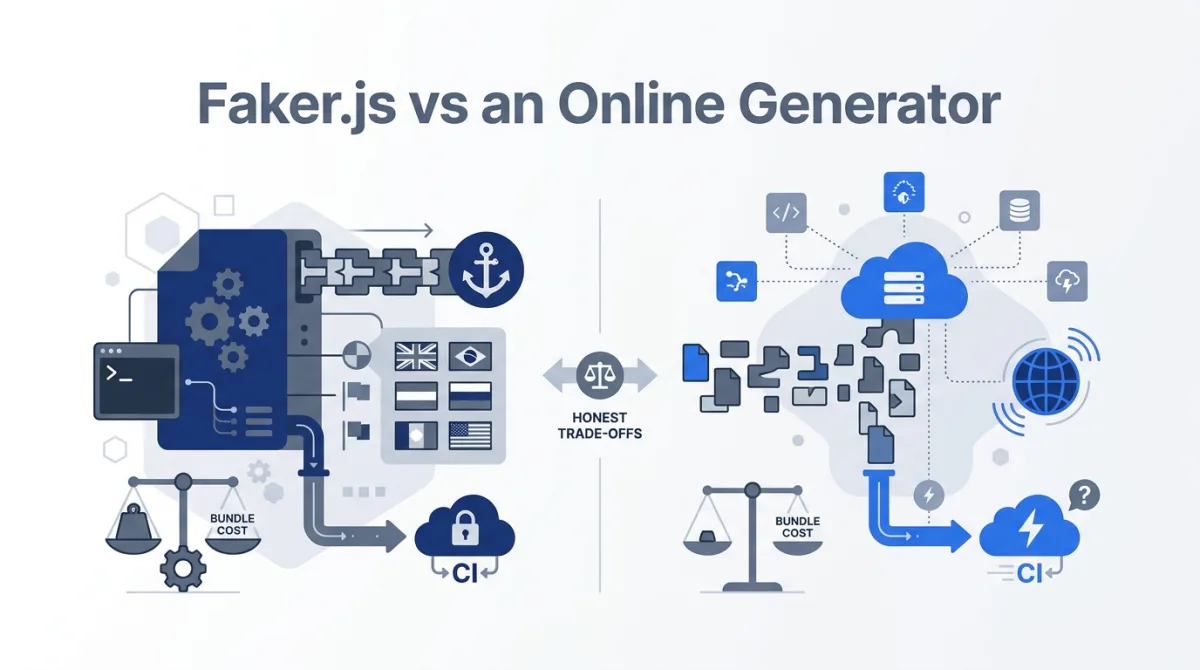
Faker.js versus an online generator is a choice about where generation runs and which rules you need to control. Use the library for fixtures defined in JavaScript; use an exporter for a file whose schema already fits. I maintain Fakenamely, whose identity engine uses Faker.js.
What each option gives you
| Requirement | Faker.js | Online exporter or API |
|---|---|---|
| Custom fields and joins | Define them in code | Depends on the product; a fixed person schema is limited |
| No network during CI | Generate locally after installation | Commit an export or expect a network dependency |
| CSV for a non-developer | Write or reuse an export script | Download from a UI |
| Exact long-term fixture | Pin recipe and dependencies or save the rows | Save the rows; a hosted update may change output |
| Millions of rows | Manage memory, batching and serialization | Check per-file and per-request limits |
Library capabilities and locale limits
The MIT-licensed @faker-js/faker project exposes person, location, internet and other generation modules [faker-repo][faker-api]. Its localization guide documents locale configuration and fallbacks [faker-locales]. Check the exact fields you need; a locale count is not a completeness score.
Independent fields need explicit relationships. For an order fixture, select customer_id from the customer keys you created. For a postal test, select city, region and postcode as a verified tuple. USPS provides ZIP lookup for actual address checking [usps-zip]; choosing the same locale for separate Faker calls is a different operation.
Seeding and dates
Use a separate Faker instance for independent fixtures. Record its exact version, locale and seed, then keep generator calls in a stable order. Relative date methods also need an explicit reference date [faker-usage]. The seeding guide includes a runnable Faker 9.9.0 example and observed values.
Bundle size: inspect imports, then measure
A dependency label is not a bundle boundary. Importing Faker from client code can ship it to browsers even if it is listed under devDependencies. For test-only generation, keep imports in test or seed-script files. For runtime generation, inspect the production build and measure the cost of the chosen locales and import path.
For a useful bundle comparison, record the library version, locale imports, bundler settings and compressed transfer size. Compare the initial route load with the first generation interaction: lazy loading can defer a download without removing it. Keep the build report with the result so the measurement can be repeated after an upgrade.
What Fakenamely adds, and its limits
The bulk exporter offers up to 100,000 fixed-schema US person rows as CSV, JSON or SQL. The API provides seeded responses with documented per-request and rate limits. For US geography the engine uses postal tuples from GeoNames [geonames]; other country configurations can use curated places or format fallbacks. Randomized streets are not delivery-verified.
The engine creates an isolated Faker instance and uses a fixed default reference date. Reproduction still depends on the complete options and the deployed implementation. Retain a file for a regression that must survive future site updates.
Decide with one representative fixture
- List the required columns, types, foreign keys and locale.
- Generate a small sample with the candidate tool.
- Import it through the real parser and inspect leading zeros, Unicode and relationships.
- Repeat generation with the recorded settings.
- Choose based on the missing work, then scale the row count.
For a custom schema UI, see the Mockaroo comparison. For a broader tool shortlist, see six fake data generators compared.
References & sources
- Faker.js repository and MIT license — Faker
- Faker API overview — Faker
- Faker localization and fallback behavior — Faker
- Faker reproducible results — Faker
- USPS ZIP Code Lookup — USPS
- GeoNames postal datasets — GeoNames
Frequently asked questions
Should I use Faker.js or an online generator?
Use Faker.js for code-driven fixtures with custom rules. Use an online exporter when its fields already match a file you need. A hosted API is another option, but store its output if tests must run without network access.
Is Faker.js free for commercial use?
The @faker-js/faker project is MIT licensed. Follow its license terms when distributing the library or derived software.
How many locales does Faker.js support?
Check the localization list for the exact release you install. A bundle count does not describe field coverage: locales can fall back to another locale when data is missing.
Does a seed guarantee identical records?
Only with the same generator version, locale, random-call order and reference dates. Keep the lockfile and recipe, and save important regression inputs separately.
Does Faker.js make a valid city and ZIP pair?
Calling city() and zipCode() independently does not enforce their relationship. Supply a verified tuple when a test requires it. A matching tuple still does not prove delivery to a generated street.
Does putting Faker in devDependencies keep it out of the browser?
No. Imports determine whether code enters a client bundle. Test-only imports stay outside the app; runtime client imports can be bundled regardless of the dependency label. Measure your production build.
Update history
- Re-read the Faker.js documentation and noted that our bulk exporter makes US records only.
- Rewrote the post as a workflow comparison, with a section on measuring bundle size properly.
- Added Faker's own note that locale data controls formats, not geography.
- Published, comparing a code library with an online generator.
More on generator and library comparisons
- Mockaroo Alternative — Free Test Data, 100K Rows
- randomuser.me Alternative: Photos & Address Fixtures
- Is FakeNameGenerator Safe? Review & Alternatives
- What Is Synthetic Test Data? A Developer's Guide
- Test Data Generation Guide: Schemas, Rows & Edge Cases
- Mock Data vs Real Data: Why Teams Test With Fake Profiles